
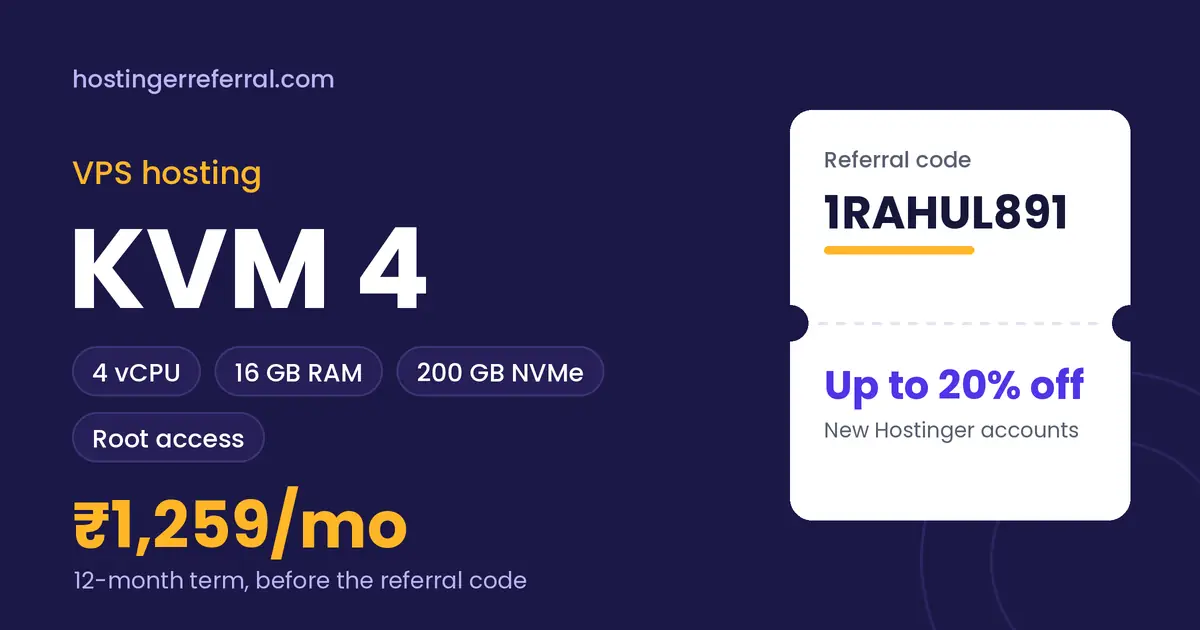
VPS KVM 4 key facts
| vCPU | 4 cores |
|---|---|
| RAM | 16 GB |
| Storage | 200 GB NVMe |
| Access | Full root access |
| Management | Self-managed |
| 12-month list price | ₹1,259/mo (₹15,108 total) |
| With 1RAHUL891 | ₹12,086.40 for 12 months, saving ₹3,021.60 |
| Referral discount from | 1 month or longer |
| Prices checked |
What is Hostinger VPS KVM 4?
KVM 4 gives you 4 vCPU cores, 16 GB of RAM and 200 GB of NVMe storage with full root access. It's where Hostinger's VPS range starts to feel roomy rather than tight.
It's also the value sweet spot in the list prices we track: roughly ₹79 per GB of RAM per month on a 12-month term, the same rate as KVM 8 and noticeably cheaper than KVM 1 or KVM 2. If you're putting several apps or client projects on one server, KVM 4 is usually the first plan where headroom stops being a worry.
What's included
- Full root access
- OS and app templates to start from
- Choice of data center location
- 30-day money-back guarantee
VPS KVM 4 price for every term
Hostinger bills the whole term upfront. Here's what each term costs before and after the referral code, using the list prices we recorded.
| Term | List price | List total | With 1RAHUL891 | Per month with code | You save |
|---|---|---|---|---|---|
| 1 month | ₹2,499/mo | ₹2,499.00 | ₹1,999.20 | ₹1,999.20/mo | ₹499.80 |
| 12 months | ₹1,259/mo | ₹15,108.00 | ₹12,086.40 | ₹1,007.20/mo | ₹3,021.60 |
| 24 months | ₹1,099/mo | ₹26,376.00 | ₹21,100.80 | ₹879.20/mo | ₹5,275.20 |
Renewals are charged at Hostinger's regular rate, which is higher than these intro prices, and the referral discount applies to the first purchase only.
Who VPS KVM 4 is for
Good fit
- 16 GB RAM for databases, caches and several containers
- Best list price per GB of RAM (tied with KVM 8)
- Four cores handle parallel work like builds and queues
- Referral code works on 1, 12 and 24-month terms
Skip it if
- One small app (KVM 2 is enough and cheaper)
- Heavy data work that needs 32 GB (KVM 8)
- You want hands-off hosting (Cloud Enterprise is managed)
What VPS KVM 4 can realistically handle
Typical KVM 4 setups: a small SaaS with its database on the same server, a busy WooCommerce store you tune yourself, a handful of client apps behind a reverse proxy, a CI runner, or a self-hosted stack like n8n plus a database and monitoring.
Sixteen gigabytes also leaves room for an in-memory cache such as Redis next to everything else, which is often the cheapest speed boost a busy app can get.
VPS KVM 4 vs other VPS hosting plans
| Plan | Key specs | 12-month list | With 1RAHUL891 |
|---|---|---|---|
| VPS KVM 1 | 1 vCPU, 4 GB RAM, 50 GB NVMe | ₹699/mo | ₹559.20/mo |
| VPS KVM 2 | 2 vCPU, 8 GB RAM, 100 GB NVMe | ₹929/mo | ₹743.20/mo |
| VPS KVM 4 (this plan) | 4 vCPU, 16 GB RAM, 200 GB NVMe | ₹1,259/mo | ₹1,007.20/mo |
| VPS KVM 8 | 8 vCPU, 32 GB RAM, 400 GB NVMe | ₹2,519/mo | ₹2,015.20/mo |
The 12-month list gap to KVM 8 is ₹1,260/mo for double everything. Stay on KVM 4 until your monitoring shows sustained CPU or memory pressure.
How to buy VPS KVM 4 with the referral code
- Copy 1RAHUL891Use the copy button on this page. The first character is the number one.
- Open Hostinger and choose VPS KVM 4Pick your billing term: 1 month or longer qualifies for the referral discount.
- Create a new Hostinger accountExisting accounts, even unused ones, don't get the referral discount.
- Apply the code at checkoutIf the discount isn't showing yet, paste 1RAHUL891 into the coupon field and tap Apply.
- Check the total, then payThe referral discount line should appear before payment. Taxes are added on top.
After you buy: VPS hosting setup checklist
- Choose location and templatePick the data center nearest your users, then an OS template. Ubuntu LTS is the safe default.
- Lock down SSHAdd your SSH key, create a non-root sudo user and turn off password logins.
- Enable a firewallAllow only the ports you use, usually 22, 80 and 443.
- Install your stack and TLSSet up Nginx or Apache, your runtime or Docker, point your domain's A record and add a free Let's Encrypt certificate.
- Automate safety netsTurn on snapshots or backups and unattended security updates before you go live.