
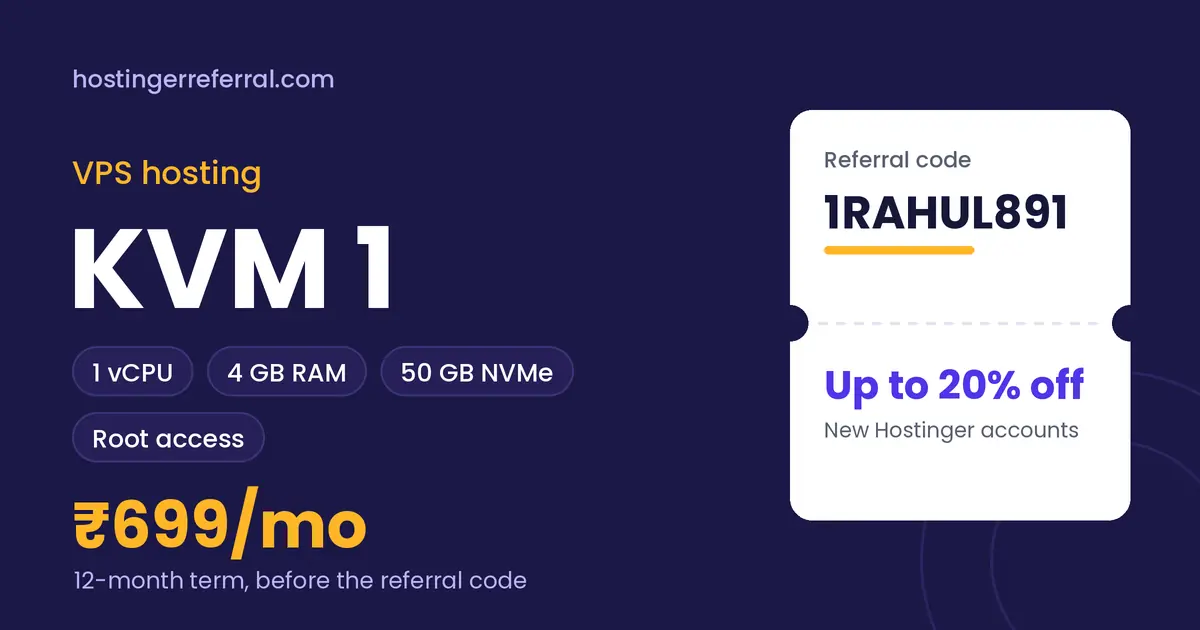
VPS KVM 1 key facts
| vCPU | 1 core |
|---|---|
| RAM | 4 GB |
| Storage | 50 GB NVMe |
| Access | Full root access |
| Management | Self-managed |
| 12-month list price | ₹699/mo (₹8,388 total) |
| With 1RAHUL891 | ₹6,710.40 for 12 months, saving ₹1,677.60 |
| Referral discount from | 1 month or longer |
| Prices checked |
What is Hostinger VPS KVM 1?
KVM 1 is Hostinger's entry VPS: a virtual private server with 1 vCPU core, 4 GB of RAM and 50 GB of NVMe storage, plus full root access. Unlike shared or cloud hosting, you get a real server environment to configure yourself.
That freedom is the reason to buy it. You can run Node.js, Python, Docker containers, a custom Nginx setup, a database server or a small game server. The trade-off is responsibility: security updates, firewalls and backups are your job, although Hostinger's OS templates make the first setup quicker.
What's included
- Full root access
- OS and app templates to start from
- Choice of data center location
- 30-day money-back guarantee
VPS KVM 1 price for every term
Hostinger bills the whole term upfront. Here's what each term costs before and after the referral code, using the list prices we recorded.
| Term | List price | List total | With 1RAHUL891 | Per month with code | You save |
|---|---|---|---|---|---|
| 1 month | ₹999/mo | ₹999.00 | ₹799.20 | ₹799.20/mo | ₹199.80 |
| 12 months | ₹699/mo | ₹8,388.00 | ₹6,710.40 | ₹559.20/mo | ₹1,677.60 |
| 24 months | ₹599/mo | ₹14,376.00 | ₹11,500.80 | ₹479.20/mo | ₹2,875.20 |
Renewals are charged at Hostinger's regular rate, which is higher than these intro prices, and the referral discount applies to the first purchase only.
Who VPS KVM 1 is for
Good fit
- Full root access at the lowest VPS price
- 4 GB RAM is generous for a single-core plan
- Referral discount from a 1-month term, so testing is cheap
- Upgrade to a bigger KVM plan from Hostinger's panel later
Skip it if
- You only want a WordPress site without server work (Premium is simpler and cheaper)
- Your workload is CPU-heavy; one vCPU is the bottleneck
- You're not comfortable with SSH and Linux basics yet
What VPS KVM 1 can realistically handle
One vCPU and 4 GB RAM handle a personal project, a staging server, an API with modest traffic, a VPN, a chat bot, or a single WordPress site behind a good cache.
It struggles with several busy processes at once, such as a database plus a heavy app server under load. If you plan to run Docker, leave some RAM for the operating system and container overhead.
VPS KVM 1 vs other VPS hosting plans
| Plan | Key specs | 12-month list | With 1RAHUL891 |
|---|---|---|---|
| VPS KVM 1 (this plan) | 1 vCPU, 4 GB RAM, 50 GB NVMe | ₹699/mo | ₹559.20/mo |
| VPS KVM 2 | 2 vCPU, 8 GB RAM, 100 GB NVMe | ₹929/mo | ₹743.20/mo |
| VPS KVM 4 | 4 vCPU, 16 GB RAM, 200 GB NVMe | ₹1,259/mo | ₹1,007.20/mo |
| VPS KVM 8 | 8 vCPU, 32 GB RAM, 400 GB NVMe | ₹2,519/mo | ₹2,015.20/mo |
KVM 2 doubles everything (2 vCPU, 8 GB RAM, 100 GB NVMe) for ₹230/mo more on the 12-month list price. For most production projects, that's the better value.
How to buy VPS KVM 1 with the referral code
- Copy 1RAHUL891Use the copy button on this page. The first character is the number one.
- Open Hostinger and choose VPS KVM 1Pick your billing term: 1 month or longer qualifies for the referral discount.
- Create a new Hostinger accountExisting accounts, even unused ones, don't get the referral discount.
- Apply the code at checkoutIf the discount isn't showing yet, paste 1RAHUL891 into the coupon field and tap Apply.
- Check the total, then payThe referral discount line should appear before payment. Taxes are added on top.
After you buy: VPS hosting setup checklist
- Choose location and templatePick the data center nearest your users, then an OS template. Ubuntu LTS is the safe default.
- Lock down SSHAdd your SSH key, create a non-root sudo user and turn off password logins.
- Enable a firewallAllow only the ports you use, usually 22, 80 and 443.
- Install your stack and TLSSet up Nginx or Apache, your runtime or Docker, point your domain's A record and add a free Let's Encrypt certificate.
- Automate safety netsTurn on snapshots or backups and unattended security updates before you go live.