
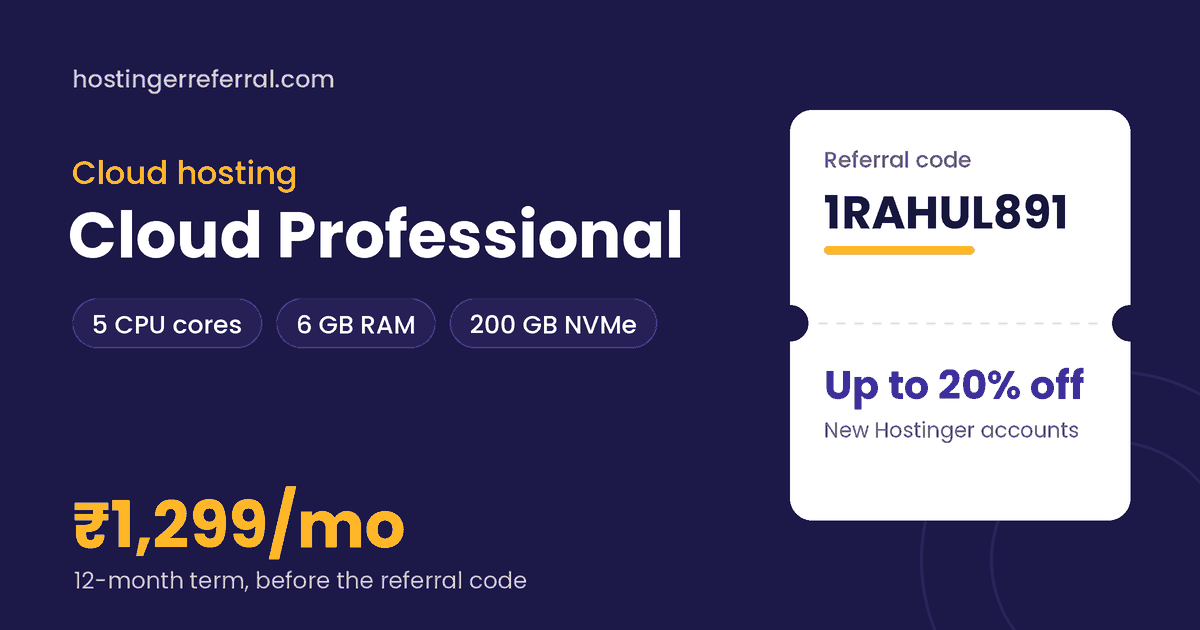
Cloud Professional key facts
| CPU | 5 cores |
|---|---|
| RAM | 6 GB |
| Storage | 200 GB NVMe |
| Control panel | hPanel, full access |
| Root access | No (managed) |
| 12-month list price | ₹1,299/mo (₹15,588 total) |
| With 1RAHUL891 | ₹12,470.40 for 12 months, saving ₹3,117.60 |
| Referral discount from | 1 month or longer |
| Prices checked |
What is Hostinger Cloud Professional?
Cloud Professional sits in the middle of Hostinger's cloud range. It keeps the easy hPanel experience of shared hosting but gives your account its own allocation: 5 CPU cores, 6 GB of RAM and 200 GB of NVMe storage.
That allocation is the point. On shared hosting a neighbour's traffic spike can slow you down; on Cloud the listed resources are reserved for you. It's the natural next step for a business site or WooCommerce store that has outgrown Business web hosting but doesn't want to manage a server.
What's included
- Dedicated CPU and RAM allocation
- hPanel with full access, no server admin
- Free SSL certificate
- 30-day money-back guarantee
Cloud Professional price for every term
Hostinger bills the whole term upfront. Here's what each term costs before and after the referral code, using the list prices we recorded.
| Term | List price | List total | With 1RAHUL891 | Per month with code | You save |
|---|---|---|---|---|---|
| 1 month | ₹3,499/mo | ₹3,499.00 | ₹2,799.20 | ₹2,799.20/mo | ₹699.80 |
| 12 months | ₹1,299/mo | ₹15,588.00 | ₹12,470.40 | ₹1,039.20/mo | ₹3,117.60 |
| 24 months | ₹1,099/mo | ₹26,376.00 | ₹21,100.80 | ₹879.20/mo | ₹5,275.20 |
| 48 months | ₹899/mo | ₹43,152.00 | ₹34,521.60 | ₹719.20/mo | ₹8,630.40 |
Renewals are charged at Hostinger's regular rate, which is higher than these intro prices, and the referral discount applies to the first purchase only.
Who Cloud Professional is for
Good fit
- Dedicated CPU and RAM without server administration
- 200 GB NVMe for big media libraries and several sites
- Referral discount works from a 1-month term
- Largest drop from monthly to 48-month pricing in the cloud range
Skip it if
- A single small blog; Premium or Business costs far less
- You need root access, Docker or custom software (VPS)
- Monthly billing is expensive: ₹3,499/mo list versus ₹1,299/mo on 12 months
What Cloud Professional can realistically handle
Six gigabytes of RAM and five cores comfortably run a WooCommerce store with steady daily orders, a membership site, or several busy WordPress sites, as long as they use page caching.
Visitor numbers depend heavily on how a site is built, so treat Cloud Professional as a clear step up in headroom rather than a fixed traffic figure. hPanel's resource graphs tell you when you're getting close to the limit.
Cloud Professional vs other cloud hosting plans
| Plan | Key specs | 12-month list | With 1RAHUL891 |
|---|---|---|---|
| Cloud Startup | Entry cloud plan | ₹799/mo | ₹639.20/mo |
| Cloud Professional (this plan) | 5 cores, 6 GB RAM, 200 GB NVMe | ₹1,299/mo | ₹1,039.20/mo |
| Cloud Enterprise | 6 cores, 12 GB RAM, 300 GB NVMe | ₹2,499/mo | ₹1,999.20/mo |
Cloud Startup, the entry cloud plan, lists at ₹799/mo on 12 months with smaller limits (check the live specs on Hostinger). Cloud Enterprise doubles RAM to 12 GB for ₹2,499/mo list. If you're unsure, start on Professional and upgrade inside Cloud later.
How to buy Cloud Professional with the referral code
- Copy 1RAHUL891Use the copy button on this page. The first character is the number one.
- Open Hostinger and choose Cloud ProfessionalPick your billing term: 1 month or longer qualifies for the referral discount.
- Create a new Hostinger accountExisting accounts, even unused ones, don't get the referral discount.
- Apply the code at checkoutIf the discount isn't showing yet, paste 1RAHUL891 into the coupon field and tap Apply.
- Check the total, then payThe referral discount line should appear before payment. Taxes are added on top.
After you buy: cloud hosting setup checklist
- Pick the closest data centerFor an Indian audience, choose an India location when hPanel asks; shorter distance means faster pages.
- Migrate or install your siteUse Hostinger's migration request or install WordPress fresh from hPanel.
- Use staging for changesTest plugin and theme updates on a staging copy before they touch your live store.
- Enable caching and the CDNTurn on page caching, and switch on the CDN if your plan includes it.
- Watch your resource graphshPanel shows CPU and RAM use; sustained highs are your signal to move up a tier.