
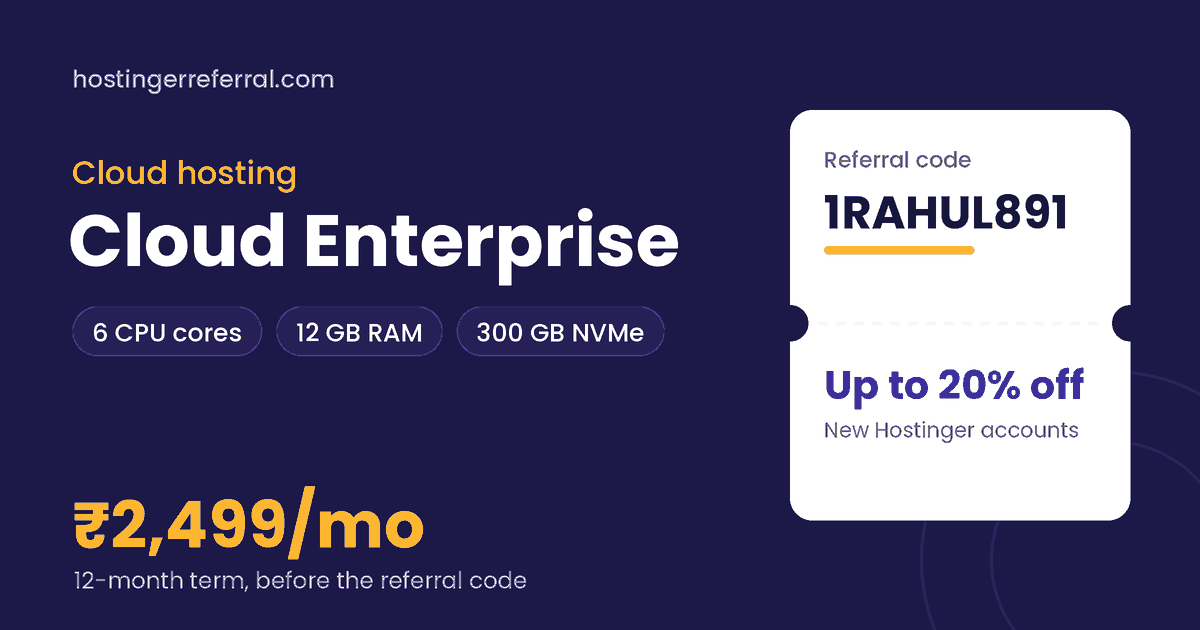
Cloud Enterprise key facts
| CPU | 6 cores |
|---|---|
| RAM | 12 GB |
| Storage | 300 GB NVMe |
| Control panel | hPanel, full access |
| Root access | No (managed) |
| 12-month list price | ₹2,499/mo (₹29,988 total) |
| With 1RAHUL891 | ₹23,990.40 for 12 months, saving ₹5,997.60 |
| Referral discount from | 1 month or longer |
| Prices checked |
What is Hostinger Cloud Enterprise?
Cloud Enterprise is the largest plan in Hostinger's cloud hosting range, with 6 CPU cores, 12 GB of RAM and 300 GB of NVMe storage. You still manage everything from hPanel, and Hostinger still looks after the server.
The step up from Professional is mostly memory: RAM doubles from 6 GB to 12 GB. Memory is what busy PHP sites, large WooCommerce catalogues and many logged-in users use up first, so Enterprise is for stores and publishers that already know they're hitting limits.
What's included
- Dedicated CPU and RAM allocation
- hPanel with full access, no server admin
- Free SSL certificate
- 30-day money-back guarantee
Cloud Enterprise price for every term
Hostinger bills the whole term upfront. Here's what each term costs before and after the referral code, using the list prices we recorded.
| Term | List price | List total | With 1RAHUL891 | Per month with code | You save |
|---|---|---|---|---|---|
| 1 month | ₹5,499/mo | ₹5,499.00 | ₹4,399.20 | ₹4,399.20/mo | ₹1,099.80 |
| 12 months | ₹2,499/mo | ₹29,988.00 | ₹23,990.40 | ₹1,999.20/mo | ₹5,997.60 |
| 24 months | ₹2,199/mo | ₹52,776.00 | ₹42,220.80 | ₹1,759.20/mo | ₹10,555.20 |
| 48 months | ₹1,899/mo | ₹91,152.00 | ₹72,921.60 | ₹1,519.20/mo | ₹18,230.40 |
Renewals are charged at Hostinger's regular rate, which is higher than these intro prices, and the referral discount applies to the first purchase only.
Who Cloud Enterprise is for
Good fit
- Twice the RAM of Cloud Professional
- 300 GB NVMe for big catalogues and media
- Fully managed, with no server upkeep
- Referral code saves ₹5,997.60 on the 12-month term
Skip it if
- You're buying for traffic you don't have yet; start on Professional
- You want root access: VPS KVM 4 lists at about half the price with 16 GB RAM, but you manage it yourself
- You look after dozens of client sites (Agency plans)
What Cloud Enterprise can realistically handle
Enterprise suits a WooCommerce store with thousands of products, a news or content site with regular traffic peaks, or a business running several revenue-critical sites on one account.
If most of your visitors read cached pages, Professional often copes. Enterprise earns its price when lots of requests can't be cached, such as carts, checkouts, searches and member areas.
Cloud Enterprise vs other cloud hosting plans
| Plan | Key specs | 12-month list | With 1RAHUL891 |
|---|---|---|---|
| Cloud Startup | Entry cloud plan | ₹799/mo | ₹639.20/mo |
| Cloud Professional | 5 cores, 6 GB RAM, 200 GB NVMe | ₹1,299/mo | ₹1,039.20/mo |
| Cloud Enterprise (this plan) | 6 cores, 12 GB RAM, 300 GB NVMe | ₹2,499/mo | ₹1,999.20/mo |
Coming from Professional, you pay ₹1,200/mo more (list, 12 months) for 6 GB more RAM, one more core and 100 GB more storage.
How to buy Cloud Enterprise with the referral code
- Copy 1RAHUL891Use the copy button on this page. The first character is the number one.
- Open Hostinger and choose Cloud EnterprisePick your billing term: 1 month or longer qualifies for the referral discount.
- Create a new Hostinger accountExisting accounts, even unused ones, don't get the referral discount.
- Apply the code at checkoutIf the discount isn't showing yet, paste 1RAHUL891 into the coupon field and tap Apply.
- Check the total, then payThe referral discount line should appear before payment. Taxes are added on top.
After you buy: cloud hosting setup checklist
- Pick the closest data centerFor an Indian audience, choose an India location when hPanel asks; shorter distance means faster pages.
- Migrate or install your siteUse Hostinger's migration request or install WordPress fresh from hPanel.
- Use staging for changesTest plugin and theme updates on a staging copy before they touch your live store.
- Enable caching and the CDNTurn on page caching, and switch on the CDN if your plan includes it.
- Watch your resource graphshPanel shows CPU and RAM use; sustained highs are your signal to move up a tier.