
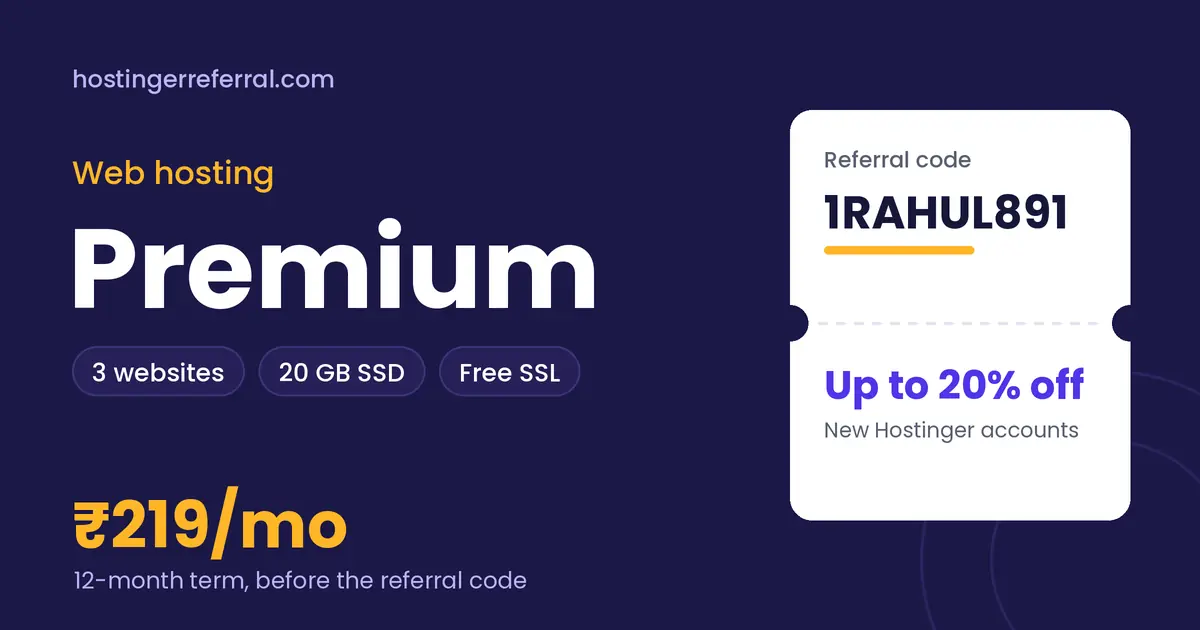
Premium Web Hosting key facts
| Websites | Up to 3 |
|---|---|
| Storage | 20 GB SSD |
| Control panel | hPanel |
| SSL certificate | Free |
| Root access | No (managed) |
| 12-month list price | ₹219/mo (₹2,628 total) |
| With 1RAHUL891 | ₹2,102.40 for 12 months, saving ₹525.60 |
| Referral discount from | 12 months or longer (shared hosting rule) |
| Prices checked |
What is Hostinger Premium Web Hosting?
Premium is the plan most people mean when they say “Hostinger hosting”. It's shared web hosting: your site lives on a server alongside other customers' sites, and Hostinger looks after the server itself, including updates, security patches and hardware, while you run your website from hPanel, Hostinger's control panel.
The limits that matter are simple: up to 3 websites and 20 GB of SSD storage. That's enough room for a WordPress blog, a portfolio and a small business site at the same time. What you don't get is root access or a guaranteed slice of CPU and RAM. Those come with Cloud and VPS plans, and most first websites never need them.
What's included
- hPanel control panel, built for beginners
- Free SSL certificate
- One-click WordPress installer
- 30-day money-back guarantee
Premium Web Hosting price for every term
Hostinger bills the whole term upfront. Here's what each term costs before and after the referral code, using the list prices we recorded.
| Term | List price | List total | With 1RAHUL891 | Per month with code | You save |
|---|---|---|---|---|---|
| 12 months | ₹219/mo | ₹2,628.00 | ₹2,102.40 | ₹175.20/mo | ₹525.60 |
| 24 months | ₹179/mo | ₹4,296.00 | ₹3,436.80 | ₹143.20/mo | ₹859.20 |
| 48 months | ₹149/mo | ₹7,152.00 | ₹5,721.60 | ₹119.20/mo | ₹1,430.40 |
Renewals are charged at Hostinger's regular rate, which is higher than these intro prices, and the referral discount applies to the first purchase only.
Who Premium Web Hosting is for
Good fit
- Lowest monthly price on Hostinger when you pay for 48 months
- Room for 3 sites, so a blog and a portfolio share one bill
- No server work: hPanel, one-click WordPress and free SSL
- Referral code works on 12, 24 and 48-month terms
Skip it if
- You need more than 3 websites (Business allows 50)
- You want NVMe storage; Premium lists SSD, Business lists NVMe
- You only want to pay monthly; shared plans need 12 months or more for the referral discount
- You run a busy online store that needs dedicated resources
What Premium Web Hosting can realistically handle
A typical WordPress blog with compressed images often fits in a few gigabytes, so 20 GB leaves space for three modest sites, their databases and email. On shared hosting the real ceiling is usually CPU and memory during traffic spikes, not disk space.
If your site regularly sees thousands of visitors a day, or you run WooCommerce with frequent orders, plan a move to Business or Cloud. Until then, Premium is the cheapest way to get a fast, secure site online.
Premium Web Hosting vs other web hosting plans
| Plan | Key specs | 12-month list | With 1RAHUL891 |
|---|---|---|---|
| Premium Web Hosting (this plan) | 3 websites, 20 GB SSD | ₹219/mo | ₹175.20/mo |
| Business Web Hosting | 50 websites, 50 GB NVMe | ₹379/mo | ₹303.20/mo |
Premium to Business is the only step inside Hostinger's shared hosting. The jump buys 47 more websites and faster NVMe storage for ₹160/mo more on a 12-month term, or ₹100/mo more on 48 months.
How to buy Premium Web Hosting with the referral code
- Copy 1RAHUL891Use the copy button on this page. The first character is the number one.
- Open Hostinger and choose Premium Web HostingPick your billing term: 12 months or longer (shared hosting rule) qualifies for the referral discount.
- Create a new Hostinger accountExisting accounts, even unused ones, don't get the referral discount.
- Apply the code at checkoutIf the discount isn't showing yet, paste 1RAHUL891 into the coupon field and tap Apply.
- Check the total, then payThe referral discount line should appear before payment. Taxes are added on top.
After you buy: web hosting setup checklist
- Connect your domainUse the free domain if your cart included one, or point an existing domain to Hostinger's nameservers from hPanel.
- Install WordPress or your CMShPanel's auto-installer sets up WordPress with a database in a couple of minutes.
- Switch on HTTPSCheck the free SSL shows as active, then force HTTPS so every visit is encrypted.
- Turn on cachingOn WordPress, the LiteSpeed Cache plugin pairs with Hostinger's LiteSpeed servers for faster page loads.
- Check backups and emailConfirm the backup schedule for your plan and create an address on your own domain if your plan includes email.